
Proof, ready before it is asked for.
We built HAVTO because the people who run real work on real sites carry the risk twice: once when the work is done, and again when someone asks them to prove it. Everything here is built for that second moment.
The pack proves itself.
Your PDF never leaves this browser.
Checked, not taken on trust
The portal reads the seal declared inside the document, works it out again from the content, and shows both values side by side. A mismatch is reported as a failure rather than smoothed over.
Every file inside it, listed
Each file inside the pack is named with its type, its size and its own fingerprint, so a specific document can be tied to the pack that carried it.
No account, no upload
Verification runs in the browser. An auditor, lawyer or insurer needs the file and nothing else — there is no sign-in, and the pack is never sent anywhere.
Evidence accumulates while the work happens.
HAVTO picks up the operational signals already moving through incidents, permits, site access, labour and workflows. On Project Pack that same trail — linked documents included — becomes your Project Evidence Pack. The live activity view shows aggregated, anonymised platform activity; your organisation's own data stays private.
One view across sites
Incidents, permits, access and labour on one screen, so a supervisor can see the state of every site without ringing round for it.
Current, not last week's
The record updates as the work is done, so the picture at four in the afternoon reflects what happened that morning.
AU/NZ defaults built in
Module guidance ships configured for AU and NZ, so the evidence trail starts on day one rather than after a setup project.
Worker scans site QR
No paper sign-in sheets. Workers scan the site QR code on the HAVTO mobile app to begin a check-in.
HAVTO validates live
Training records, PPE assignments, and site-specific permit requirements are checked against that site's rules.
Result before entry
The outcome is shown on the device before anyone steps on site, and any gap is named rather than buried.
Visitor kiosk — frictionless, no accounts
Visitors self-serve on the web kiosk in any browser, or a supervisor scans them in via the mobile app. They complete name, company, purpose and a site-specific risk briefing with a digital signature; a visitor badge is issued and they appear on the live site manifest — no HAVTO account needed on the visitor's end.
High-risk permits — locked until competency and co-signatures are in
A permit tagged confined space, heights, hot work, electrical, asbestos, excavation, lifting or work over water cannot be activated until every required supervisor co-signature is collected and every assigned worker holds a valid competency check for that category. Each signature is tied to the permit exactly as it read at the moment of signing, so a later edit shows the signature no longer matches. A signature captured offline keeps its correct place in the order once the device syncs.
Worker Access Pass — credentials on the phone, verified on arrival
Workers generate a signed QR access pass before arriving at a client site. Passes are signed so they cannot be forged or altered, expire after 24 hours, and every scan is logged to a permanent audit trail. A worker with outstanding gaps can still generate a pass, but the scan returns not authorised with the specific gaps listed — clear for everyone on site.
WorkSafe NZ — HSWA 2015
- Notifiable incidents — thresholds for serious harm, death and notifiable illness pre-configured
- PCBU duty of care — risk and hazard workflows aligned to PCBU obligations
- Worker participation — corrective actions, training and safety-meeting records
- Contractor management — contractor readiness reviewed before site access, including overlapping duties (s34)
Safe Work Australia — WHS Act 2011
- Notifiable incidents (s38) — death, serious injury/illness and dangerous incidents mapped to workflows
- PCBU obligations — so-far-as-reasonably-practicable (SFARP) risk management with an evidence trail
- High-risk work — permit and documentation aligned to Reg 291-297
- Consultation duties — worker involvement documented through corrective-action workflows
The response clock is calculated, not remembered.
A payment claim under the NZ Construction Contracts Act or an Australian security-of-payment act starts a statutory response period, counted in working days and specific to the jurisdiction. HAVTO calculates the due date on submission using that jurisdiction's working-day calendar, including the NZ 22 December - 15 January blackout, and the extended head-contractor periods in NSW (15 business days) and Victoria (14). A claim that passes its deadline without a payment schedule becomes a statutory debt for the full amount claimed — which is why the date is computed rather than diarised.
Preset per standard. Overridable, with a full audit trail.
Inspection intervals, thresholds, and checklist defaults are pre-set per AS/NZS standard. Override any value for your organisation in Module Settings — every change is recorded permanently, with who changed it and when. HAVTO provides the defaults; you keep the decision and the record of it.
A generic checklist tool
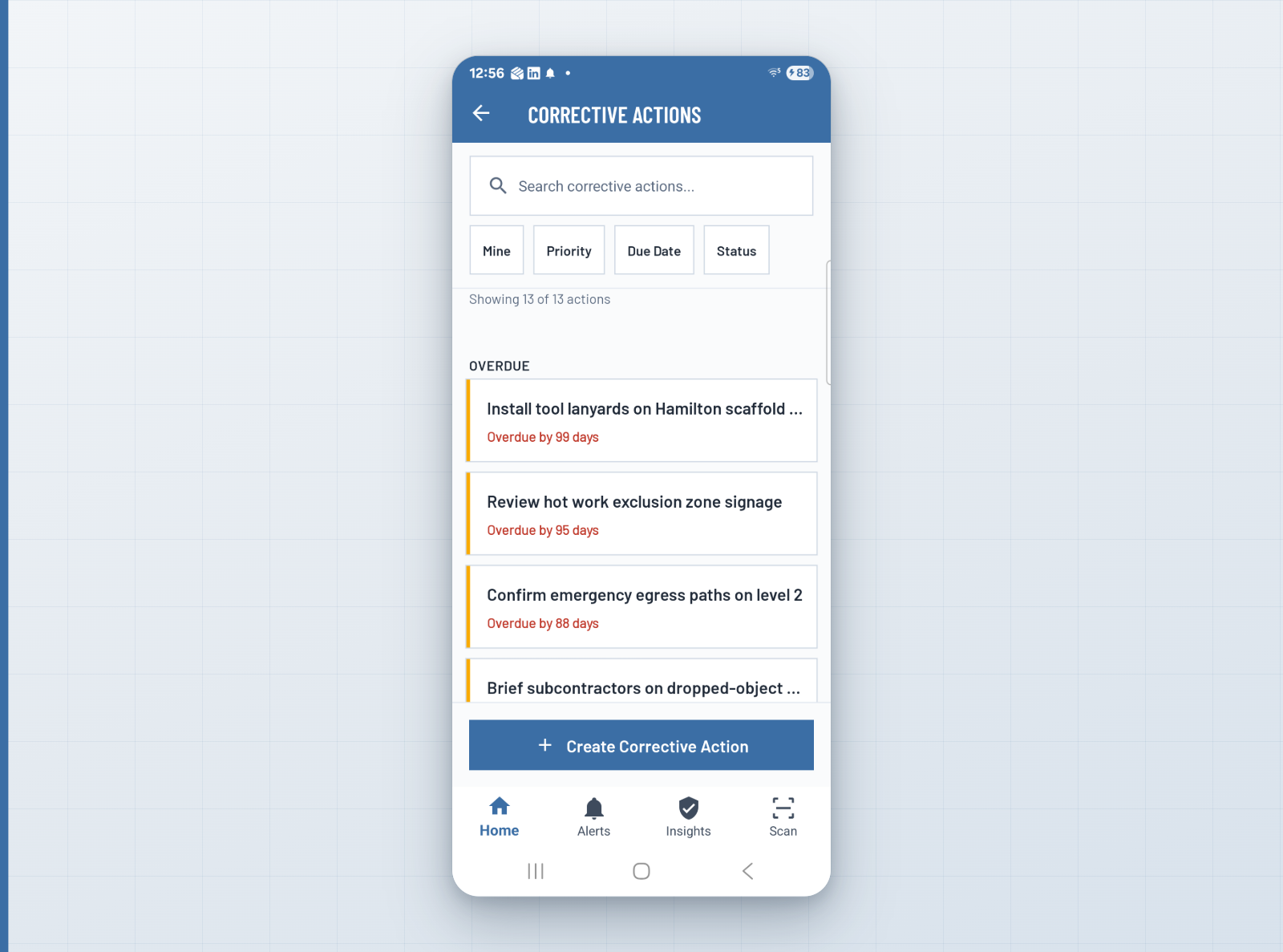
- Corrective action marked "done" — no verification the fix happened
- Modules are siloed — incidents don't connect to equipment, training, or PPE
- Escalation is manual — someone has to chase overdue actions
- Global templates need months of local configuration
- No way to share learnings across teams or sites
HAVTO
- Verify & Learn Loop — a supervisor confirms the fix with evidence
- Cross-module risk detection — flags uncertified operators on equipment, expiring PPE on high-risk tasks
- Automated escalation — overdue actions trigger configurable reminder chains
- AU/NZ module guidance defaults on day one, with legal citations
- Cross-site learning — resolved incidents publish named learnings to the relevant teams
It states its own gaps
The pack says what it covers and flags anything that has gone out of date, so a reader knows what is and is not in their hands. It can be scheduled, or sent automatically when a project completes.
It refuses to overstate
Before an export leaves, HAVTO reads it for phrases like fully compliant or zero risk. Each one blocks the export until a supervisor resolves it in writing. Nothing auto-resolves — this is the one place the platform stops you.
“Most tools record what happened. HAVTO reconstructs what you can prove — ready at handover, instead of assembled after the fact.”
Start building your evidence trail.
A 14-day full Project Pack trial — all modules, AU/NZ defaults ready on day one, no credit card required.